
How to Use COME Sports on Your Phone
Use this COME Sports guide to find the right Cricket or Football fixture, read the event screen and locate your record. The steps follow the documented mobile interface, with help for loading, missing events and result questions.
COME buttons open an external access page. Already installed? Open the app on your phone.
On this page
Before you start: choose Sports or Fantasy
Use Sports when your next task is to find an event and read its markets or records. Start with the COME Sports overview if you want to compare available sports and features before following the steps.
If you searched for “how to play COME Sports” but want to select players and a captain, go to the Fantasy team-building walkthrough. The product name in a video title may cover more than one app section.
Know what you want to find
- A fixture: use the sport, competition and match search.
- A player team or prediction card: choose Fantasy in the main app navigation.
- A submitted Sports selection: use the Sports record, such as My Bets.
- A full video stream: check the event’s actual media options; a score is not a streaming confirmation.
1. Open Sports and narrow the event list
Open the app and choose Sports
Use your existing COME app if it is already installed. If access fails before you reach the categories, use login and OTP help.
Choose the sport
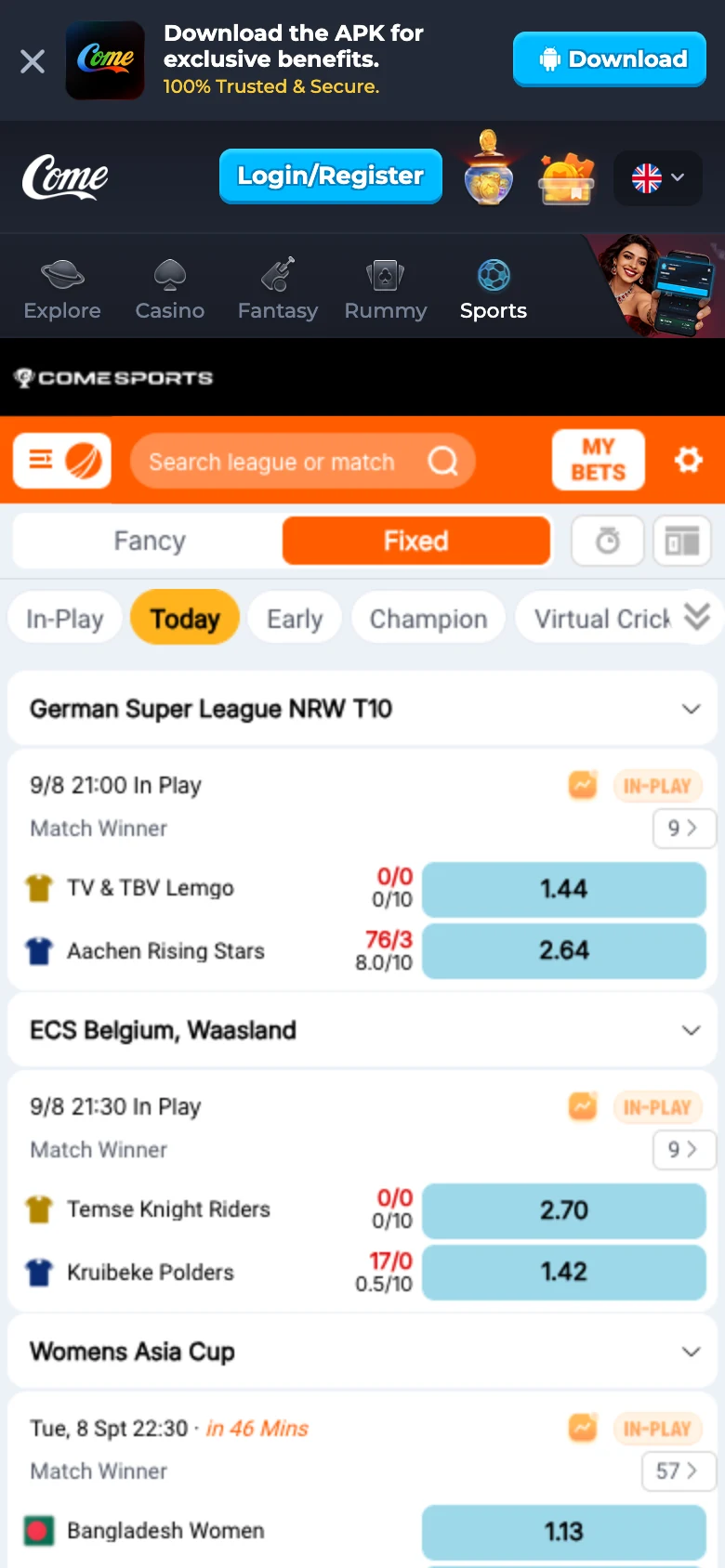
Select Cricket or Football. Wait for that section’s list to finish loading before searching.
Set the time or status filter
Use In-Play, Today or Early where shown. A fixture hidden by the current filter may still exist in another list.
Find the league or match
Use the search field or browse competitions. Match the teams, date and competition, rather than choosing only by a familiar team name.
 Tap to enlarge
 For an IPL fixture, confirm the season and matchup from current competition information, then check the app’s own listing. The IPL preparation directory keeps the relevant guides together.
2. Read the Cricket event and selected view
In the recorded Cricket interface, Fixed and Fancy are separate views. Read the label attached to the selection you are inspecting. Similar numbers can refer to different innings, totals or periods.
| Label / control | Check before continuing |
|---|---|
| Fixed / Fancy | Which view is active and which rule text applies to that market |
| Match Winner | The exact match and the handling of ties, interruptions or abandonment |
| Innings Runs / O/U | The innings, stated line and period covered |
| Score / In-Play | The displayed event and whether its status has changed |
Player wicket and batting points belong to Fantasy scoring. They do not settle a Sports market.
3. Read the Football period and market label
| Label | How to interpret the label |
|---|---|
| Win / 1-X-2 | Usually home side, draw or away side; confirm the period specified by the market |
| HDP | A handicap line; the figure and selection side matter |
| O/U | Over / Under a specified total; check what is being counted |
| HT | A first-half qualifier rather than the whole match |
| Correct Score / Corner | A different type of outcome; open the detailed conditions |
The table explains the screen’s vocabulary. Read the current market rules for the exact time period and settlement conditions; a label alone is not enough.
4. Review the details and find the entry record
Check the complete event
Confirm sport, competition, teams, date, status and the period shown.
Read the current conditions
Review the selection, line, any displayed amount and applicable rules before deciding whether to continue.
Locate the matching record
If you have submitted an entry, use the Sports record such as My Bets. Match it to the actual fixture and selection; a selected on-screen option alone is not proof of an accepted entry.
Keep records separate
A fixture score, an entry result and an account transaction describe different stages. Check the relevant one when something appears wrong.
Opens the external COME access page. Choose the section after opening the app.
5. Resolve the specific problem
| Problem | Useful next step |
|---|---|
| Sports keeps loading | Check your connection, reopen the section once and note whether other categories work. Preserve your existing app and account access. |
| The match is missing | Check sport, league spelling and time filters. Availability may differ by date, account or location. |
| An event is locked or changed | Read the current event status and conditions instead of relying on an older screenshot. |
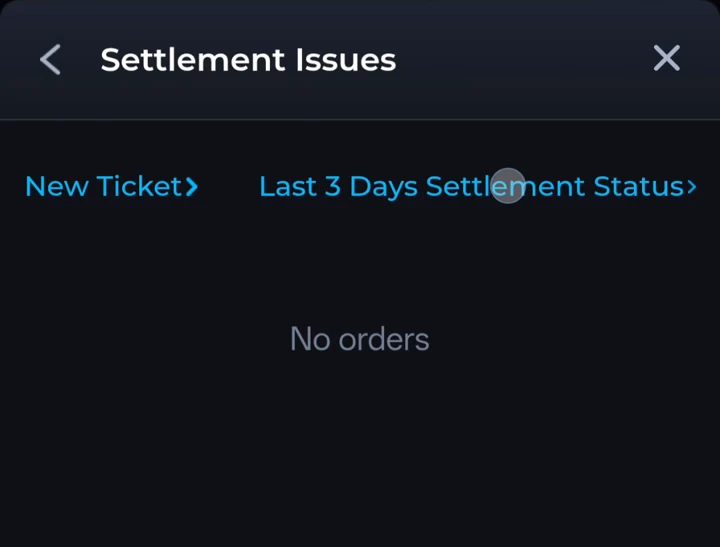
| A result looks wrong | Keep the match, period, selection and record. Explain the discrepancy in Customer Center’s Settlement route. |
 Tap to enlarge
 For an unresolved result, use match and result-status checks to identify the stage, then prepare the support details. A submitted ticket is a request for review, not confirmation of an adjustment.
Return to the right section
Use COME Fantasy for a player squad or prediction; use Sports for the event and market interface described here. Both may refer to cricket or football, while keeping different rules and entry records.
Ready to follow the steps?
Open COME and start with the sport you want to browse. If installation is the part you need help with, the Android guide covers that separately. Participation remains subject to current eligibility and the applicable rules.
Frequently asked questions
Where is COME Sports in the app?
Sports is a separate option in the recorded main category navigation, alongside Fantasy and the other game areas.
Why can I not find a match?
Check the sport, competition, search wording and time/status filter. Then check whether that fixture is currently offered to your account.
Does “In-Play” mean I can watch the match?
It is a live-status label. It does not by itself confirm that a video stream is available.
Should I download the APK again when Sports is loading?
First check the connection and reopen the section. Reinstalling may not resolve an event-list or account problem; retain your existing access while identifying the cause.
Sources and reference dates
Product references: COME mobile recording dated 31 August 2026 and mobile interface material reviewed 8 September 2026. Guide updated 12 September 2026. Screens show examples from those sessions. Check the rules and availability shown in your current account.
External access link · 18+ and current local eligibility apply.