
COME Fantasy vs COME Sports
COME Fantasy offers player-team contests and predictions. COME Sports organises fixtures, scores and event markets. Choose the section that matches the action you want.
Already have COME? Open the app on your phone. Get login help →
On this page
Which COME section should you open?
| Your task | Start here | Next step |
|---|---|---|
| Select real players and a captain | Fantasy | Choose a match and a player-team contest |
| Answer a Yes/No match question | Fantasy → Predictions | Read the question, lock time and entry conditions |
| Browse Cricket or Football markets | Sports | Find the event and select the exact market |
| Check a fantasy team’s live points | My Matches → Fantasy | Read the contest status and scoring rules |
| Find a Sports entry | Sports record / My Bets | Match the event, market and accepted entry |
Fantasy: teams and predictions
In the team format, players cost credits and earn fantasy points from their match performances. The recorded T20 rules include captain and vice-captain multipliers. The prediction flow instead asks about a stated event or outcome and shows its own choices and entry panel.
Follow the two Fantasy flows →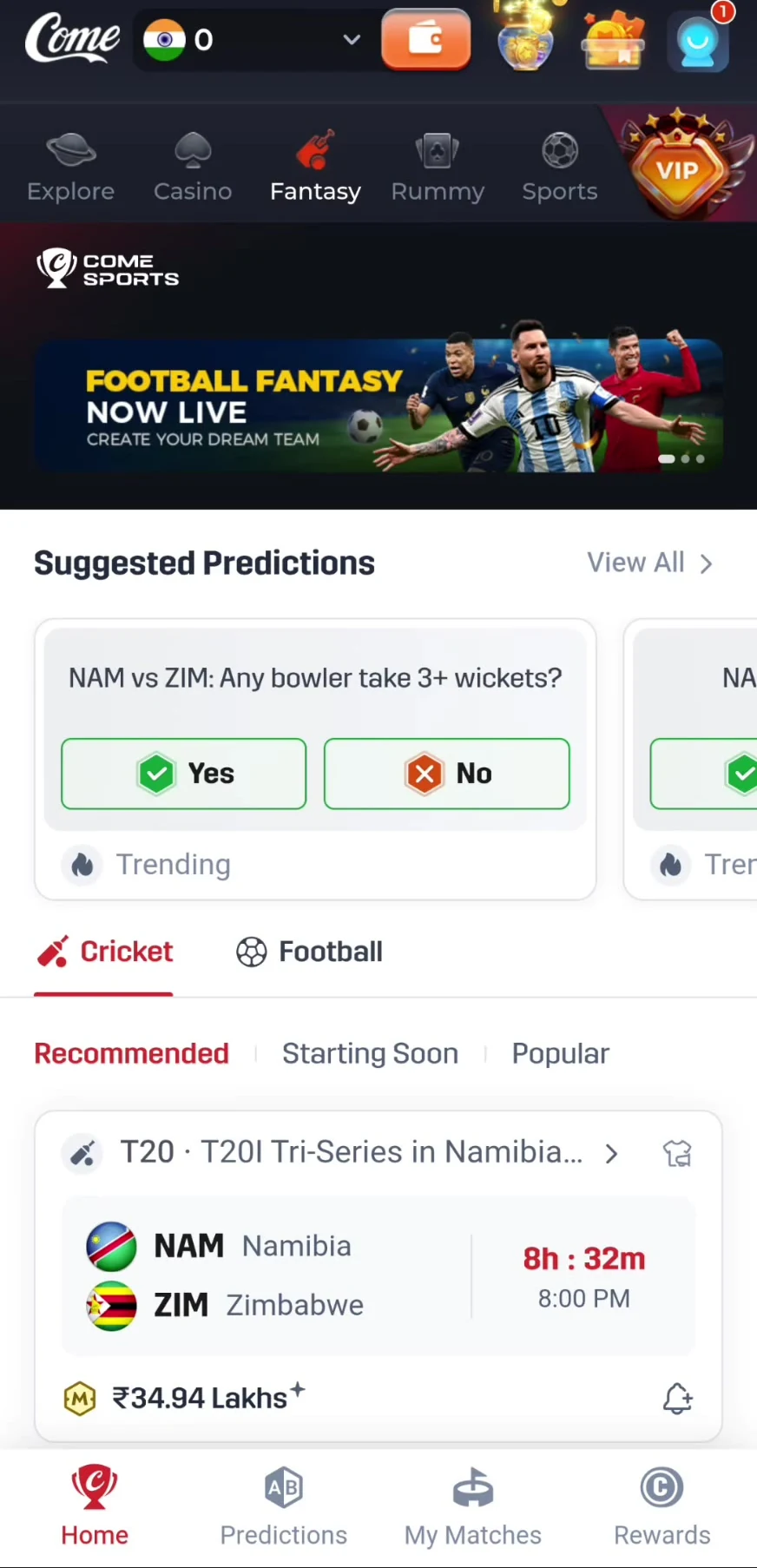 Tap to enlarge
 Sports: events and markets
Sports uses league or match search, In-Play, Today and Early navigation, and market rows. Cricket has Fixed and Fancy views. Football displays its own fixture groups and labels such as Win, HDP and O/U.
Read the market’s period and result conditions. A displayed price is not a fantasy score, and a score panel is not proof of a full live stream.
Follow the Sports walkthrough →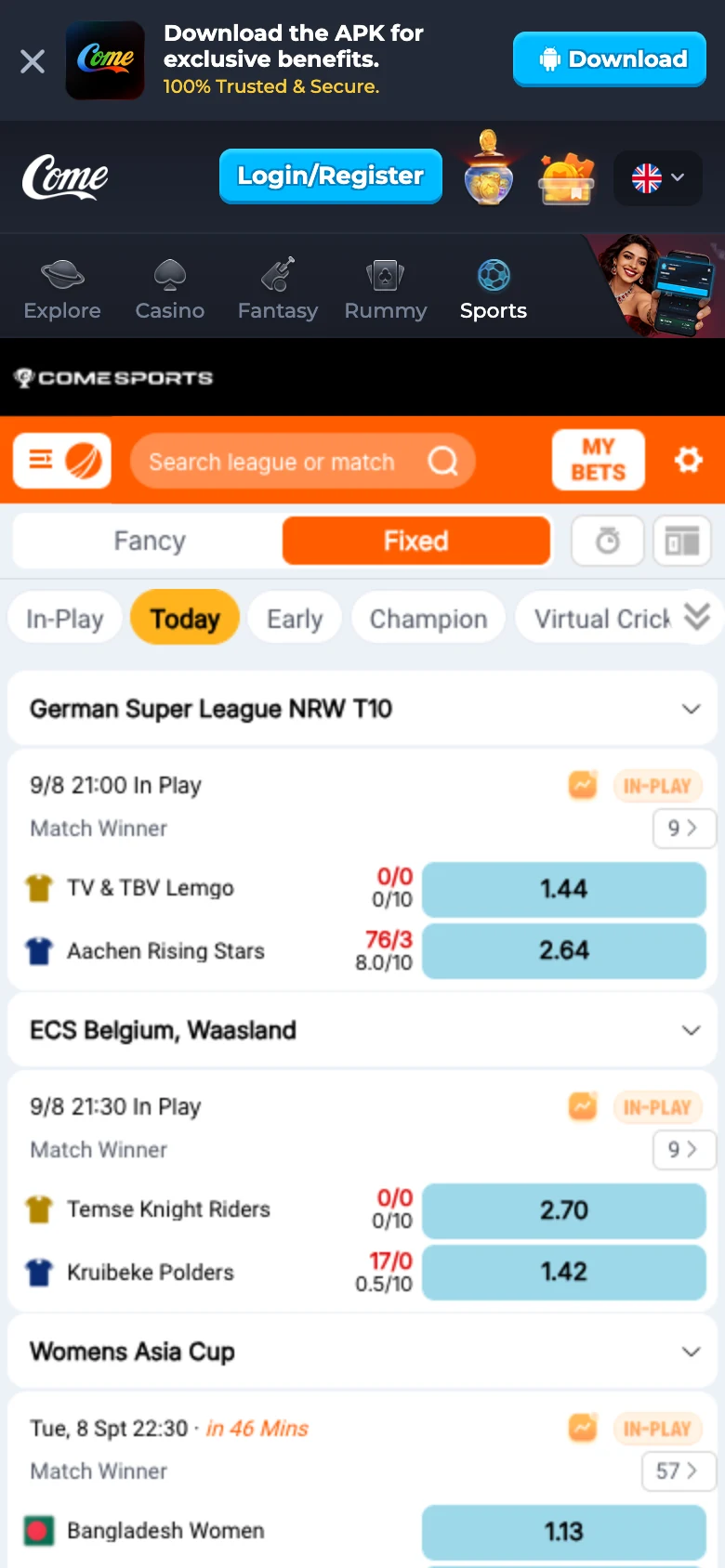 Tap to enlarge
 The same sport can lead to different tasks
For Fantasy Football, select players according to the Football contest’s team rules. For Sports Football, find the fixture and market. Similarly, Fantasy Cricket player scoring, a wickets prediction and a Cricket Match Winner market are different entries even when they refer to the same fixture.
Use the right rules and record
- Team contests: selected sport/format points and My Matches → Fantasy.
- Predictions: question-specific conditions and My Matches → Predictions.
- Sports: market-specific rules and the Sports entry record.
Frequently asked questions
Are COME Fantasy and Sports the same?
No. Fantasy contains player-team contests and predictions. Sports is an event-and-market interface.
Which section is closer to team fantasy on Dream11?
COME Fantasy’s player-team flow includes credits and captain choices. COME is a separate brand, so follow COME’s own scoring and contest rules.
Where should I look for football?
Use Fantasy Football to select a player team, or Sports → Football for event lists and markets. Check the current fixtures in the chosen section.
Find the next COME Fantasy explanation
About the screenshots and rules
Interface and rules reference: supplied mobile recording dated 31 August 2026, reviewed 10 September 2026. Available contests and rules can change. Read the terms shown for the match you choose.
Editorial update: · comeplaygo.com Editorial Team