
OTP not received
Check the contact, filtered SMS and resend timer. Check email folders only when the prompt says the code was sent by email.
Open COME, tap Login/Register and use the mobile number or email linked to your account.
Opens COME’s external page in a new tab. Already installed? Open the app directly.
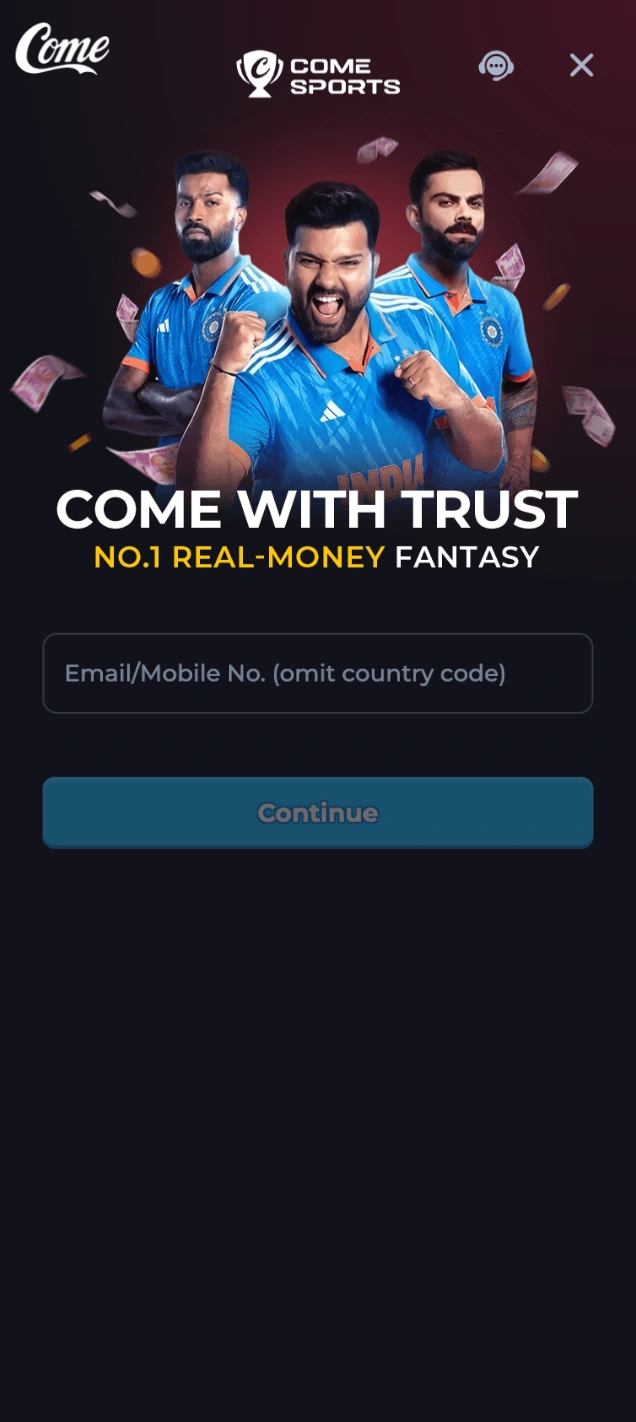
Launch the installed app on your phone.
Choose the account entry on the start screen.
Use your linked number or email. Omit the country code where instructed.
Follow the next prompt. An OTP is not required for every flow.
Check the contact, filtered SMS and resend timer. Check email folders only when the prompt says the code was sent by email.
Use the reset option on the app’s login page. If your linked contact is unavailable, ask support; registering again will not recover the account.

Restart the app, check for an update or try a trusted network. Clear cache before considering a reinstall.
Choose the matching in-app issue and track your ticket. Never share a password or OTP. Support checklist →
Login screenshot supplied for this page. Customer Center screenshots: reviewed 8 September 2026, rechecked 10 September 2026. These screens may differ from your app. No account transaction was performed for this update.
Updated · 18+ · Play responsibly