
COME APK Register: Mobile or Email Sign-Up Help
COME registration starts at Login/Register in the app. The reviewed first screen accepts an email address or mobile number; the next steps depend on the prompt shown for your account.
Independent guide. Download buttons open an external partner page and may generate commission. Existing users can open their installed app.
On this page
COME APK register: the first screen
The reviewed COME account entry uses Login/Register and one field labelled E-mail/Mobile No. (omit country code), followed by Continue. Choose a contact you control and follow the field instructions shown on your device.
Open the installed app
Use the Login/Register entry. This guide does not collect your email, mobile number, password or OTP.
Check the contact field
The reviewed screen accepts an email address or mobile number in the same field. For a mobile number, its label says to omit the country code.
Follow the next prompt
Select Continue and read the screen that appears for your account. The evidence does not show a complete new-account registration, so a fixed OTP or password sequence is not assumed.
Mobile number or email: use the contact you can recover
| Your situation | What to check |
|---|---|
| New account | Use a contact you can access now and retain for account recovery. |
| Existing account | Use the identifier already linked to that account. A new registration will not recover the old one. |
| A verification code is requested | Read the destination shown by the current prompt before checking SMS or email. |
| Linked contact is unavailable | Use the recovery or help option available in the app; do not share codes with a third party. |
If a requested OTP does not arrive
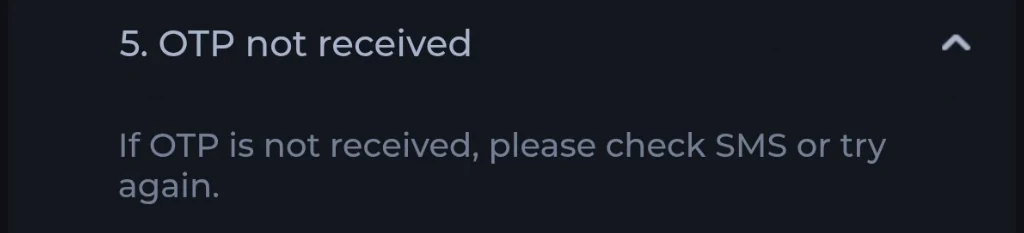
First confirm the contact destination on the screen. Check filtered messages and follow any resend wait time actually displayed. The recorded Customer Center help says to check SMS or try again; it does not establish one delivery method or timer for every account.
Read the COME OTP checks for the recorded help and password-recovery limits.
After account access is confirmed
Check that the account shown is the one you intended to use. Then use the COME Games guide to identify the app sections, or read the referral conditions if a reward message needs explaining. A successful sign-in does not itself establish a reward, a completed payment or a withdrawable balance.
For an error, record its wording, the time and your device/app version. The support checklist explains which information to prepare without exposing a password or OTP.
Registration questions
Does “COME APK apply” mean a separate application form?
The reviewed material shows the app’s Login/Register entry. It does not establish a separate application form on this guide website.
Does Continue always send an OTP?
No universal post-Continue route has been verified. Follow the current prompt and its stated contact destination.
Do I get a reward simply for downloading or registering?
A download or registration does not establish reward eligibility. Referral milestones, Bonus and Cash balances have separate conditions; read the dated referral guide and the terms in your account.
I already have an account. Should I register again?
Use the existing account’s linked contact and the login/recovery route. Creating another account does not restore the first account’s records.
What this guide is based on
First login prompt reviewed 10 September 2026, as documented in the existing login guide. Customer Center support material was reviewed 8 September 2026. No registration, login or password-reset transaction was performed for this content update.
The post-Continue registration screens, account-specific verification requirements and current field availability still need an end-to-end app recording before a more detailed tutorial can be stated as verified.
Editorial update: · comeplaygo.com Editorial Team