
Fantasy — Teams and predictions
Pick players for upcoming matches and follow match cards in one place.
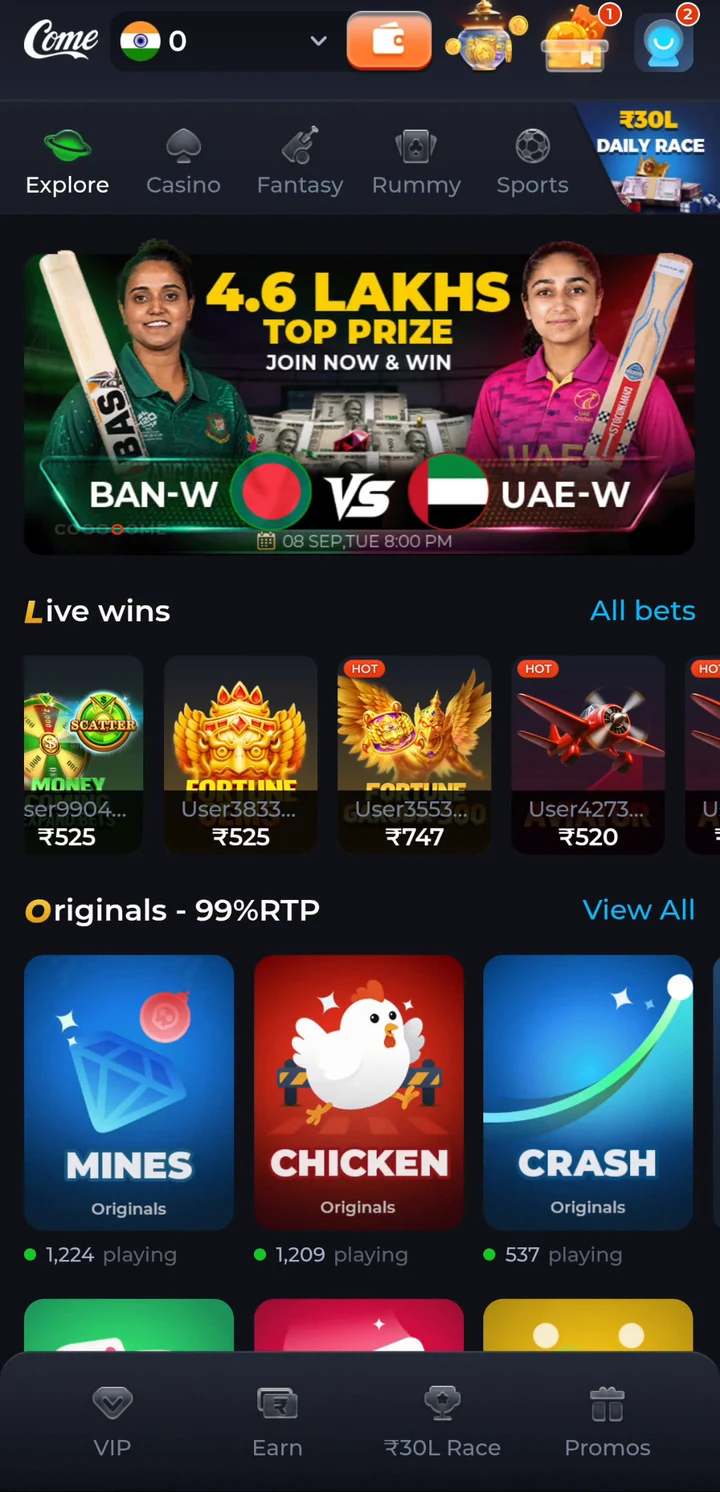
→ Fantasy guideCOME is an Android gaming app with Fantasy, Sports, Casino and Rummy sections. People also use “COME.com” when searching for it; this independent guide explains the app and where to find installation and account help.
Independent guide. The download button opens our partner's page and may earn us a commission. See referral conditions and source.
For the Android file and installation steps, use the download guide. For an account you already use, go to login help.
These are search spellings, not verified declarations of domain ownership or separate app editions. Check the full destination address and the exact APK identity before treating a similarly named file as COME.
For “come to win” and “come in win,” see the name and slogan evidence. This website, comeplaygo.com, is an independent guide and does not manage app accounts.
Pick players for upcoming matches and follow match cards in one place.
→ Fantasy guideSee fixtures, scores and markets for the matches you follow.
→ Sports guideCasino games including Mines, Dice, Crash, Plinko, Aviator and Fortune Gems.
→ Casino guidePlay Rummy from the same app, with points games in the lobby.
→ All COME gamesUse the Android download guide for installation. New users can then follow the reviewed registration first step.
Tap Download COME APK and save the file on your phone.
If Android asks, allow "Install unknown apps" for your browser, then open the file.
Open COME and follow its Login/Register prompt. Compare the full installed version with the dated version guide; the public release label alone does not identify the exact APK.
The referral screenshots archived on 20 October 2026 show 30 Bonus and ₹80 Cash as different labels with separate milestones. They do not establish ₹110 withdrawable cash for downloading or signing up.
Use the referral screenshot and conditions guide for the displayed milestones. The reward and withdrawal explanation separates Bonus, Cash, Fantasy Coins and completed payment records. Current eligibility must be read in the account.
It is wording people use when searching for the COME app. This page does not establish ownership of every similar domain; verify the complete address and app identity.
Use the existing COME download guide for installation and file information. Existing users can keep their installed app while checking account access.
The supplied screenshots distinguish Bonus and Cash and give separate conditions. A displayed reward is not proof of a completed withdrawal.
No. comeplaygo.com is an independent information and affiliate guide. It does not operate COME, access app accounts or process payments.
More help: Login and OTP help · Current COME version · Contact COME support
Updated · comeplaygo.com Editorial Team
comeplaygo.com is an independent information and affiliate guide. Download buttons open an external partner page and may generate commission. This site does not host the APK or manage COME accounts or payments. 18+ · Local eligibility and responsible use.
Editorial update: · comeplaygo.com Editorial Team